Full Localization in scoreio: Interface, Emails and Documents in Two Languages
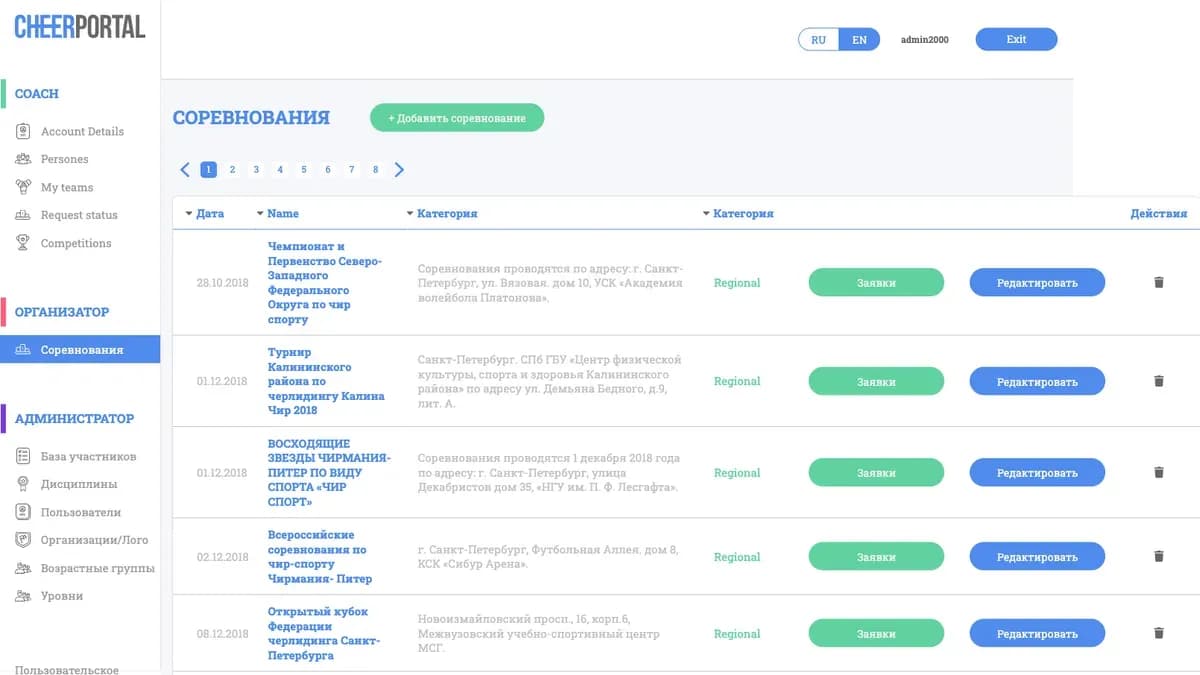
The moment teams from several countries register for your event, platform localization stops being a nice-to-have and becomes a matter of trust. A foreign coach who sees a registration form half in an unfamiliar language can't tell which field is required and which isn't — so they write to support instead of calmly submitting their entry. We closed that gap completely: the scoreio interface, notifications, emails and Word and Excel document exports are now genuinely bilingual — Russian and English, with no untranslated islands of text left behind.
How It Used to Be
Earlier, the portal's bilingualism was partial and held together by goodwill. Most labels were translated, but a large share of text lived directly in the code — hardcoded strings that couldn't be switched on the fly. As a result, a participant who opened the English version still ran into Russian phrases: in a field hint, on a button, in a system error message.
It was worse off-screen. Notification emails went out in one language regardless of which country a club had registered from. And exports — protocols and lists in Word, budgets and registries in Excel — were generated with Russian column headers and labels. An organizer who sent such a file to an international partner had to translate it by hand or explain what each column meant.
Terminology drifted, too. In one place an assistant judge was called one thing, elsewhere another; "spare" and "substitute" coexisted across different forms; an athlete identifier was "ID" on one screen and "number" on another. A trivial thing for a Russian-speaking user, but a source of constant confusion for an English-speaking one.
What Changed

We carried out a full audit of the platform's text and brought localization to the point where a participant sees absolutely everything in their own language — from the first screen to the final document. The English version is no longer a second-class citizen.
The Entire Interface — in the Translation Dictionary
Hardcoded Russian strings were extracted into a single dictionary and translated. Field labels, buttons, hints, registration statuses, error texts and system messages now exist in two versions. Switching the language changes the interface as a whole, with no leftover Russian fragments.
Emails and Notifications in the Brand's Language
Status-change notifications, reminders and system emails now go out in the brand's language. If a federation's portal runs in English, its participants receive English emails; if it runs in Russian, Russian ones. The email text and the language of the attached document match, so the recipient has nothing to guess.
Bilingual Word and Excel Exports
The documents the platform generates are localized along with the interface. Column headers, section labels and service notes in Word and Excel files are produced in the right language. An international partner receives a protocol or registry that reads without a translator.
The Language Is Detected Automatically
The platform picks the language from two signals: the brand setting (the default language for a given federation or organizing committee) and the URL prefix — /ru/ or /en/. The participant doesn't need to hunt for a toggle: they follow a link and land in the correct language version. You can also hand a foreign club a direct link to the English version.
Unified Terminology
We unified the dictionary of key terms so that one concept is always named the same way: Coach, Substitute, Registration, Base number (an athlete's base number). This removes ambiguity and makes the interface predictable for an English-speaking user.
What This Gives You

- Fewer support questions. When a foreign coach sees the whole form in their own language, they don't need to ask what each field means — and that's a noticeable share of inbound requests at international events.
- Documents with no manual translation. Protocols and registries in Word and Excel reach partners ready to read — zero time spent translating headers and labels.
- Trust in your emails. A notification in the participant's native language looks like part of an official service, not an automated blast worth ignoring.
- An international audience with no rebuilds. To accept foreign teams you don't need a separate portal — handing over a link with the
/en/prefix is enough. - A predictable interface. Unified terminology means a participant figures it out once and reads every screen the same way thereafter.
Scenarios Where This Solves the Problem

An international stage with teams from several countries. Clubs from Russia, Kazakhstan and Europe register. Russian-speaking participants work on /ru/; the organizer hands the rest a link to /en/. Each sees the interface, emails and final documents in a language they understand — and the flow of support questions doesn't grow in proportion to the number of foreign teams.
A federation preparing documents for an international partner. After registration closes, you need to send a participant registry and a protocol to an international body. That used to mean translating Excel headers by hand. Now the file exports in English right away — you can forward it as is.
A foreign coach submitting a first entry. They get a link with the /en/ prefix, see a fully English form with clear terminology (Coach, Substitute, Base number) and complete registration without a back-and-forth with the organizing committee asking "what do I put here?".
Frequently Asked Questions

Which languages are supported right now? Russian and English. The platform is fully bilingual at the level of interface, notifications, emails and Word and Excel exports.
How does a participant end up in the right language? Automatically — from the brand's language and the URL prefix /ru/ or /en/. There's no need to look for a toggle; you can give a foreign club a direct link to the English version.
In what language do emails arrive? In the brand's language. An English-language portal sends English emails, a Russian one sends Russian. The email language and the attached document language match.
Are the Word and Excel documents translated? Yes. Column headers and labels in exports are localized along with the interface, so the document reads without manual translation.
Can one brand run in English and another in Russian? Yes. The default language is set per brand — it's part of the white-label settings.
The Bottom Line
Full localization isn't a checkbox that says "English version available" — it's end-to-end bilingualism: from the label on the first field to the last row in an exported Excel file. It removes friction for international participants and spares the organizer manual document translation. Localization is closely tied to other platform capabilities: the brand language is configured through white label, and the correct city choice in one's own language is delivered by the global locations database with search. All of it is part of the new platform engine.
Accepting teams from different countries? Request a demo or a pilot launch of scoreio — we'll show the portal in Russian and English, send test emails and export documents in both languages using your data.